Integrations / Eaglesoft
Eaglesoft closes the day. Smile Data opens the next one.
Smile Data sits on top of Eaglesoft. Yesterday's close, today's openings and every procedure that was never billed are waiting when your team walks in, and any other question is one sentence away.
For Eaglesoft installed on a server in your office.
Smile Data reads from it
Eaglesoft stays as it isOn your office server, with End of Day run the way you run it now.
A printed Day Sheet tells you what happened. It does not tell you what to do.
Most Eaglesoft offices finish with End of Day and a Day Sheet. It is an accurate record of one office on one day. The questions an owner asks in the morning huddle are different ones, and each used to mean another report.
With Smile Data on top, you type the question or say it. Smile Bot answers from your Eaglesoft data, and you can pin the answer to a dashboard so it is there tomorrow.
- AskWhere can we add treatment to today's schedule?
- AskWhich completed procedures have not been billed?
- AskNet production by provider, this month against last month.
- AskWho is overdue for hygiene and already coming in this week?
- AskWhat did we collect against what we produced, by office?
What Smile Data reads from Eaglesoft.
- Production
- What was completed, by provider, by procedure category and by day.
- Collections
- Payments and adjustments, next to the production they belong to, and what is still outstanding.
- Schedule
- Today and tomorrow, the openings, and patients waiting for an earlier slot.
- Claims
- Every claim and where it stands, starting with procedures that were never billed.
- Hygiene
- Recare, perio and fluoride, and the patients who are overdue.
- People
- Providers, and the patients behind each opportunity.
Patient records are handled under our Business Associate Agreement, which you accept at signup before any data connects. How we handle patient data
One Eaglesoft server per office. One screen for the group.
Eaglesoft groups usually run a separate server in each office, so a group report means collecting one from every location. We connect each office, and every location shows on one screen, counted the same way.
Four dashboards, waiting each morning.
You do not build these. They are there once Eaglesoft is connected, and each one answers a question the Day Sheet leaves open. Every number follows our dental KPI definitions, and dental analytics walks through what each report answers.
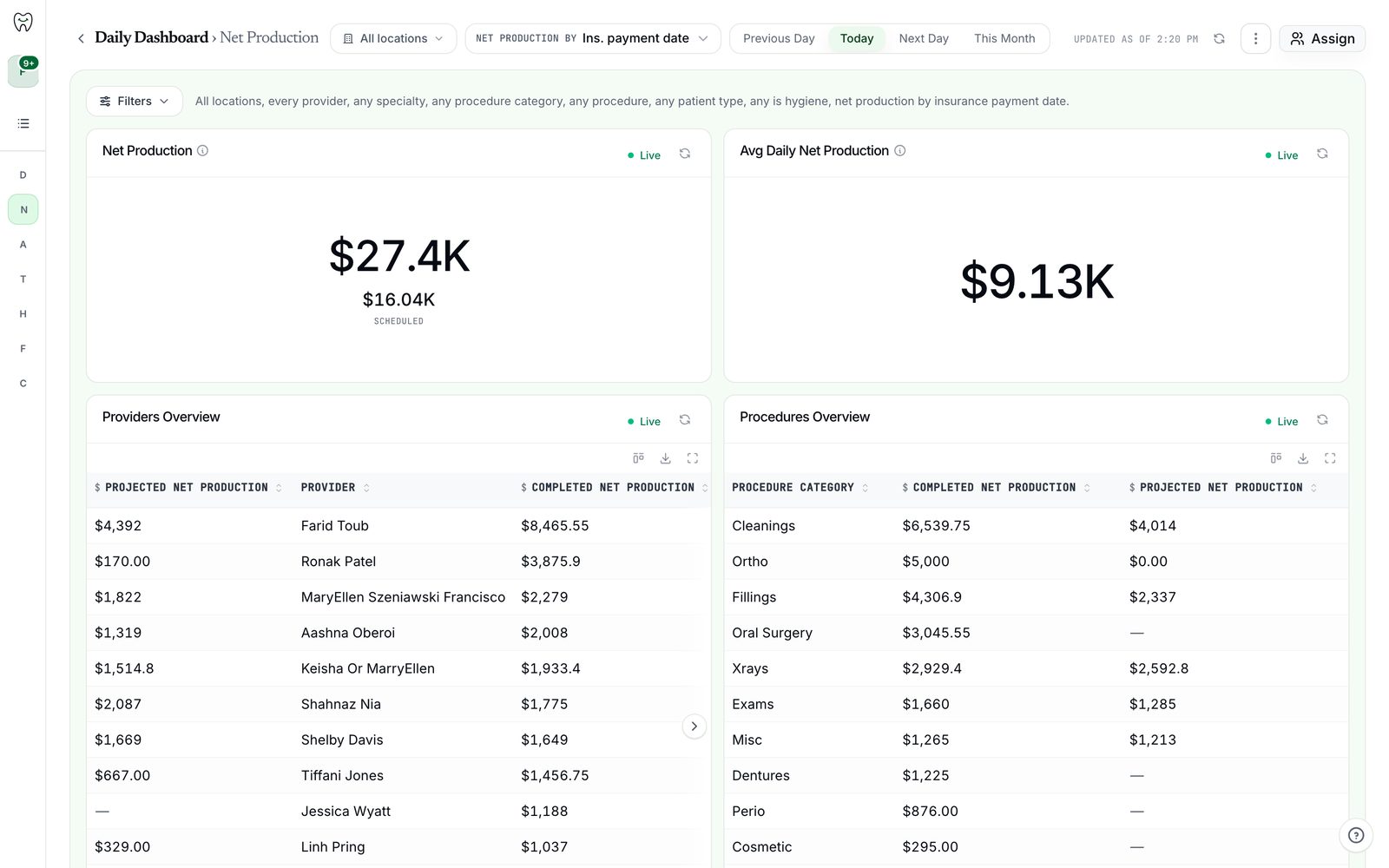
Daily Dashboard
Who produced what yesterday, and what is scheduled today, by provider and by procedure category.
- Daily Overview
- Net Production
- Appointments
- Treatment Opportunities
- Hygiene Opportunities
- Financials
- Created Appointments
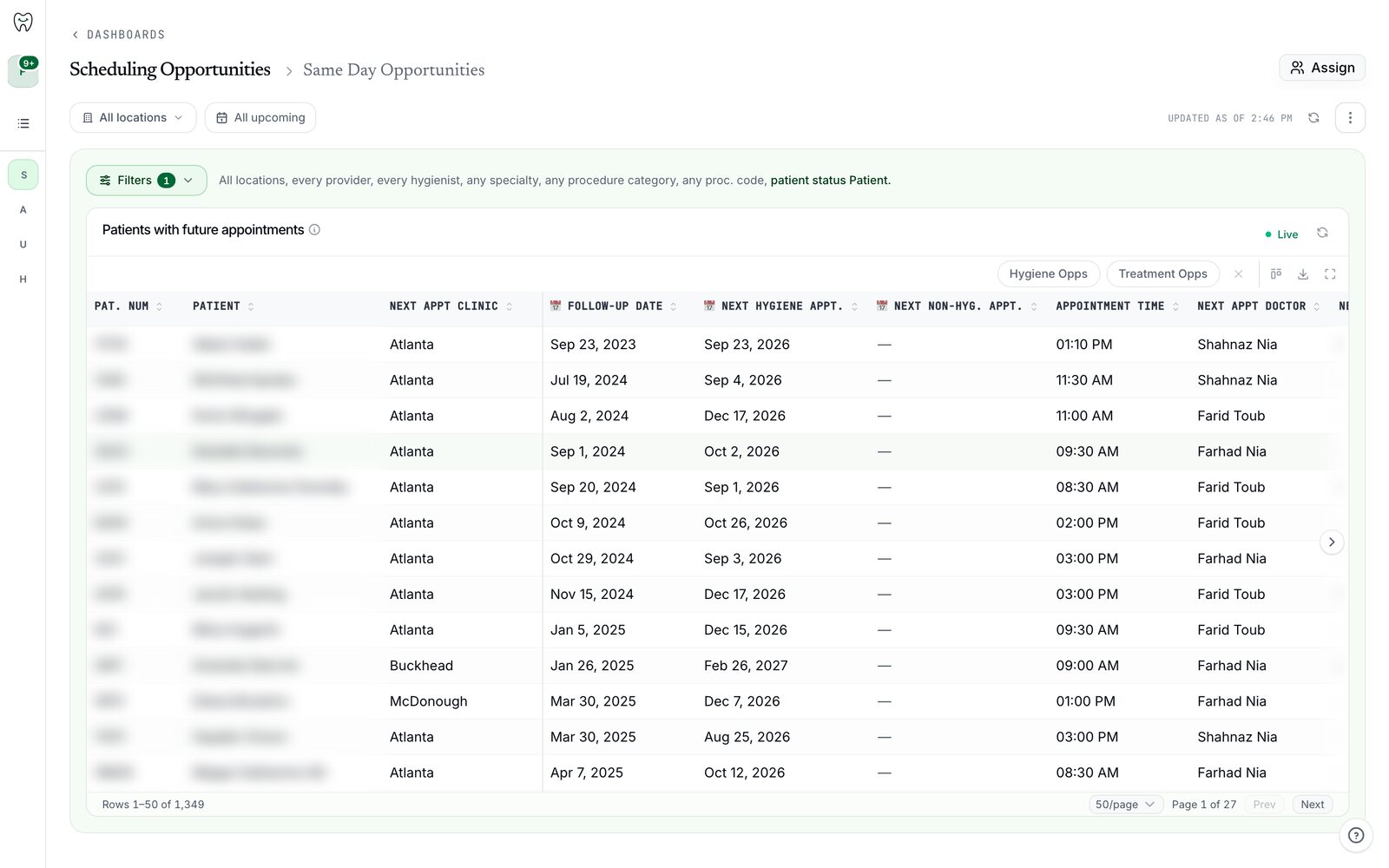
Scheduling Opportunities
Patients already coming in who have treatment or hygiene still open. The front desk works it as a list.
- Same Day Opportunities
- ASAP Check
- Unscheduled List
- Hygiene Opportunities
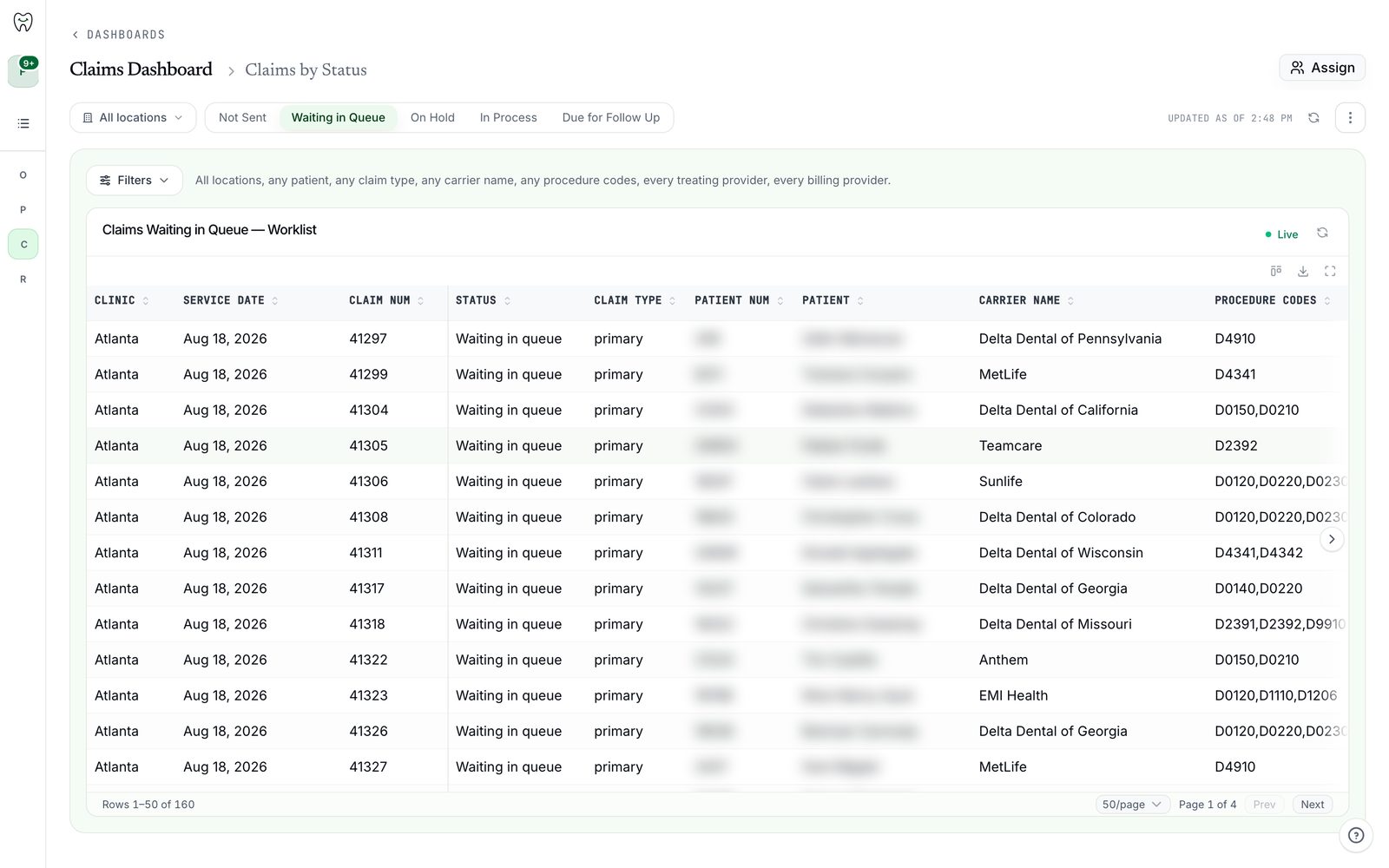
Claims Dashboard
Not sent, waiting, on hold, due for follow-up. Each status is a worklist, by office.
- Overview
- Procedures Not Billed
- Claims by Status
- Received Days
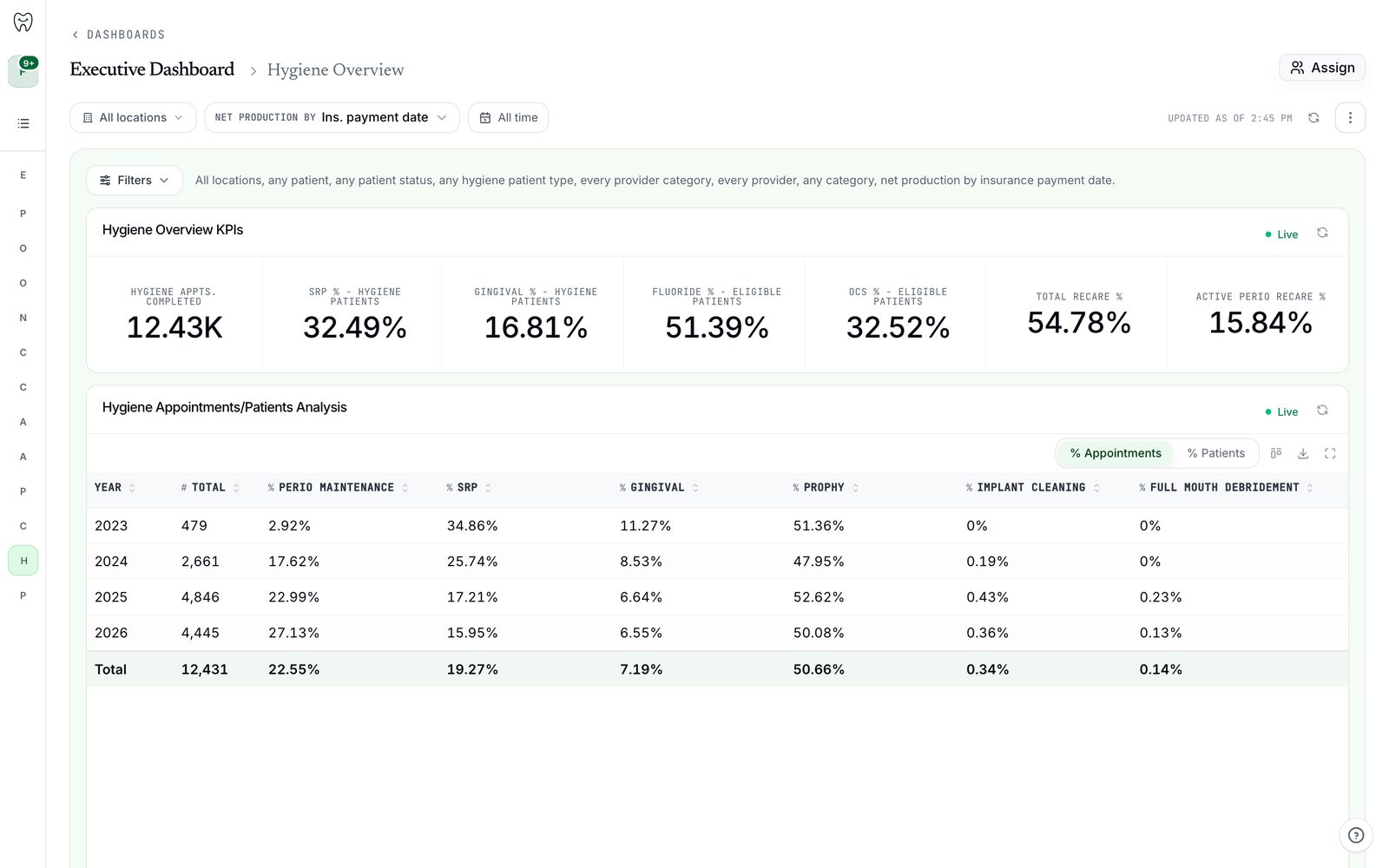
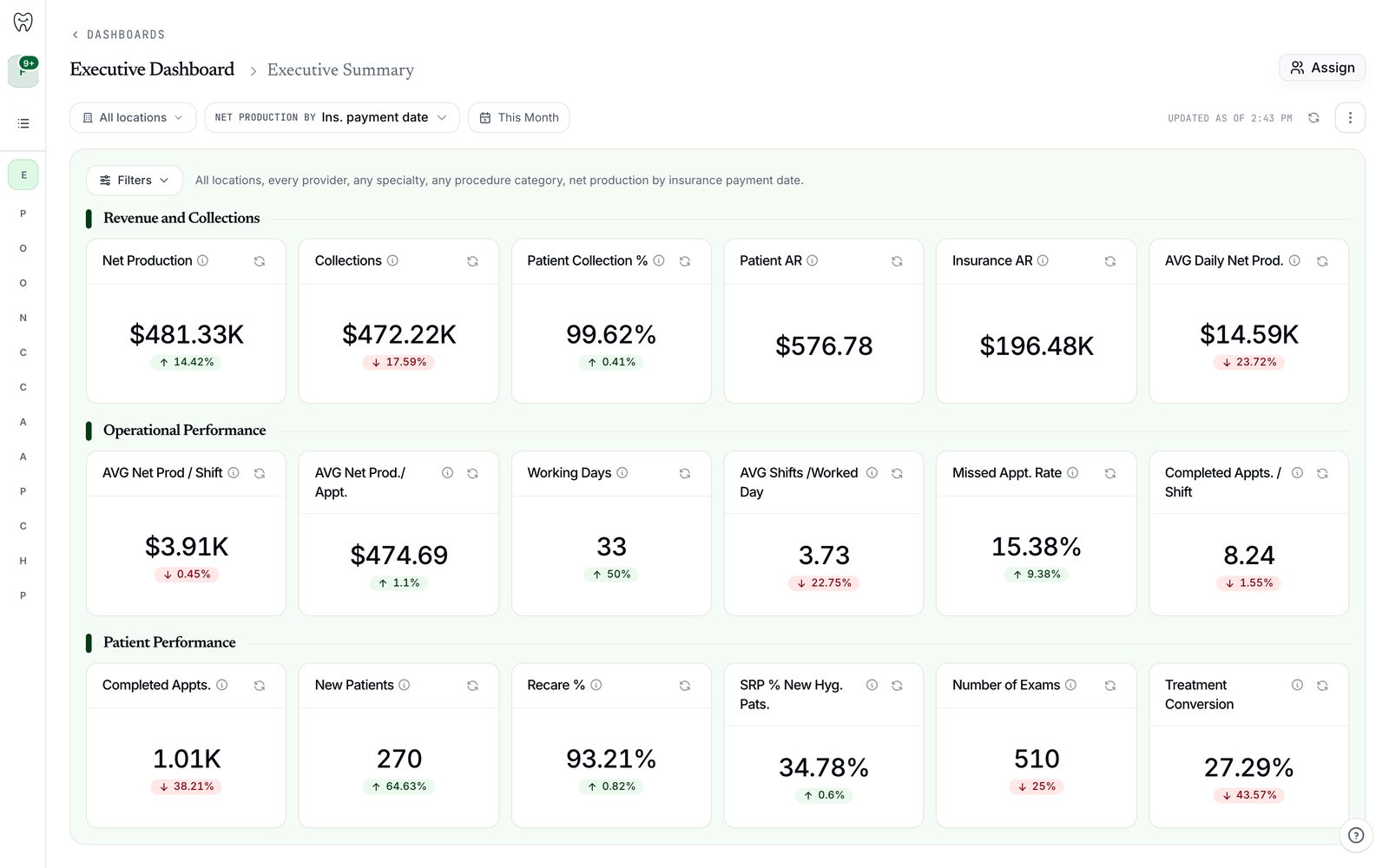
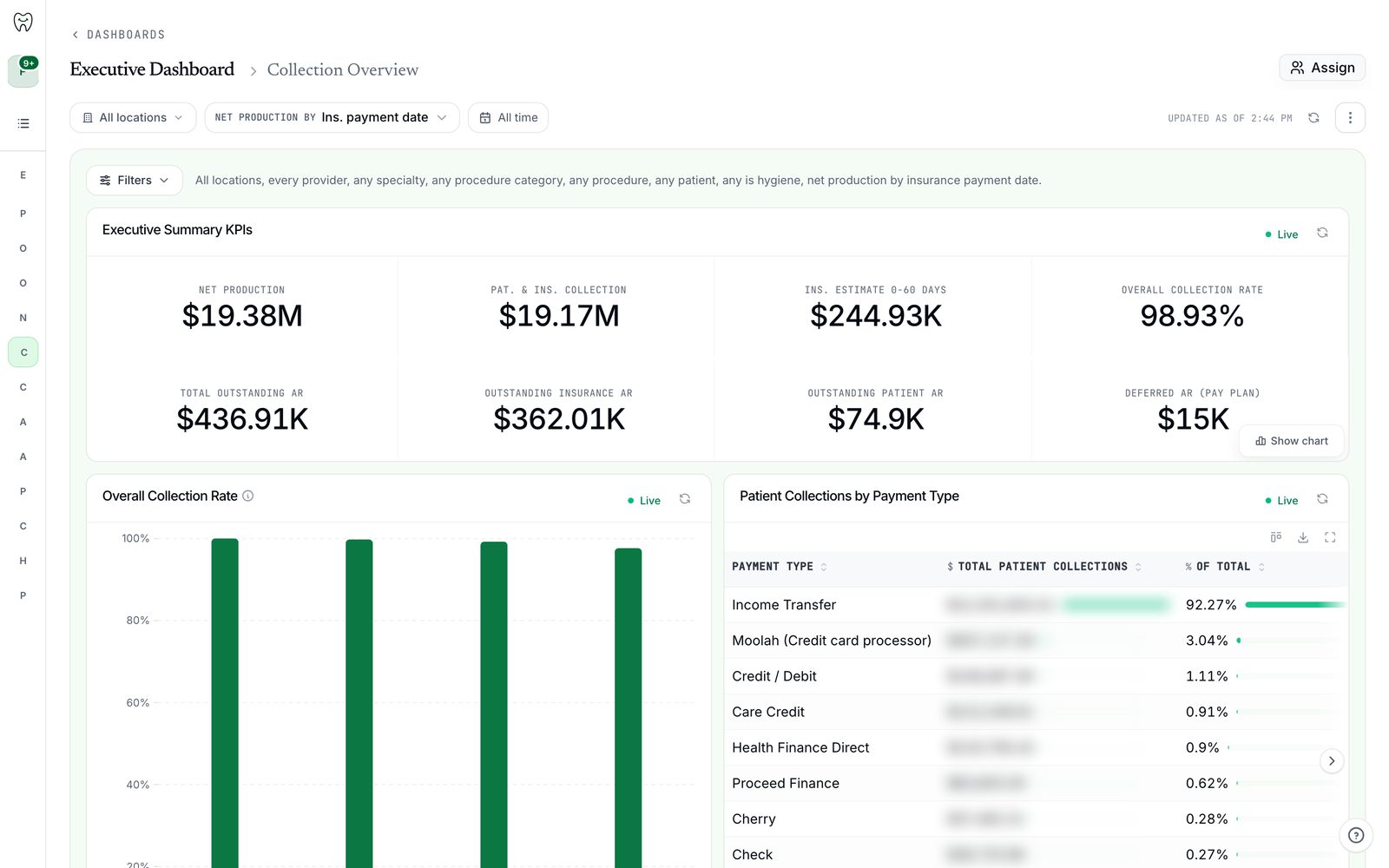
Executive Dashboard
The month and the year: production, collections, outstanding balances and the hygiene department's trend.
- Executive Summary
- Performance Overview
- Outstanding Patient
- Outstanding Insurance
- Net Production Overview
- Collection Overview
- Clinical Trends
- and more
Screens are from the Smile Data demo organization. Your pages fill with your own Eaglesoft data.
Connected on your server, with our team.
Eaglesoft is server-based, so the connection is made on the machine that runs it. Nothing changes for the people who use Eaglesoft all day.
Tell us about your install
Your Eaglesoft version, how many offices, and who looks after the server. We confirm the connection for your setup before anything is installed.
We install the connector
Our team sets up a connector on your Eaglesoft server, alongside your office or your IT provider. It only sends your data up; Smile Data runs in our cloud. You accept the Business Associate Agreement at signup, before any data connects.
We check the numbers
We compare what Smile Data shows with the reports you already trust in Eaglesoft, and fix anything that does not match.
Walk in to the answer
Smile Data refreshes on a schedule, so each morning shows yesterday's close.
Onboarding is $0. Timing depends on the install in your office. We tell you what to expect before you start.
Does Smile Data work with Eaglesoft?
Yes. Smile Data connects to Eaglesoft installed on a server in your office, set up with our team.
Do we still run End of Day in Eaglesoft?
Yes. Nothing about how you use Eaglesoft changes. Smile Data sits on top of it and reads the numbers. Your team keeps closing the day the way they do now.
We have several offices, each with its own Eaglesoft server. Does that work?
Yes. We connect each office, and every location shows on one screen, counted the same way. You can still filter down to one office or one provider.
How long does setup take?
It depends on the install in your office: the version, the server, and who manages it. Our team does the setup with you and tells you what to expect before you start. Onboarding is $0.
Will the numbers match my Eaglesoft reports?
That is the standard we hold. During setup we compare Smile Data with the reports you already run in Eaglesoft and fix anything that does not match. The side-by-side example published on this site is from Open Dental. We do not have an Eaglesoft pair to show you yet.
How often does the data refresh?
A full upload runs every night, so each morning shows yesterday's close and nothing goes missing. How often it also updates during the day depends on your practice software and your server.
Eaglesoft is a trademark of its owner and is used here only to identify the software Smile Data connects to. Its use does not imply endorsement.
Walk in to the answer.
Keep Eaglesoft exactly as it is. We set up the connection with you.
No contract. $0 onboarding. 30-day money-back guarantee.