Integrations / Other server-based systems
Thirteen more systems, through one server connector.
If your practice software runs on a server in your office, Smile Data can connect to it through our server connector. We confirm it for your setup during onboarding, before you rely on a single number.
Connects through our server connectorConfirmed for your setup during onboarding
Which practices this covers.
General practice and the specialties, in the United States and Canada. These are installs that run on a server in your office. Tell us the product and version, and we confirm it for your setup during onboarding.
- General practice. Server installs of the practice management systems general offices run, including Mac-based offices.
- Orthodontics. Ortho practice software that runs on a server in your office.
- Endodontics. Endodontic practice software on an office server.
- Oral surgery. Oral surgery and perio systems on an office server.
- Canada. Canadian practice software installed on an office server.
On Open Dental, Dentrix, Eaglesoft or Planet DDS? Each has its own page. See all four.
We check your install before we promise anything.
Two offices on the same software can be set up very differently. So we do not call a system connected until it is connected in your office, and we tell you plainly if something will not work.
- The product and version you run, and whether it is the server install or a cloud edition.
- Where the server is and who looks after it: your office, or an IT provider.
- That production, collections, the schedule and claims can each be read from it.
- Anything your specialty tracks that a general office does not. Tell us what matters and we tell you whether it comes through.
One connector, on the server you already have.
Smile Data sits on top of your practice software. Your team keeps working in it exactly as they do now.
Tell us what you run
The product, the version, and where the server sits. This is the step where we confirm your system.
We install the connector
Our team sets up the connector on your server, alongside your office or your IT provider. It only sends your data up; Smile Data runs in our cloud. You accept the Business Associate Agreement at signup, before any data connects.
We check the numbers
We compare what Smile Data shows with the reports your practice software already gives you, and fix anything that does not match.
Open it in the morning
Smile Data refreshes on a schedule, so each morning shows yesterday's close.
Onboarding is $0. Timing depends on the install in your office. We tell you what to expect before you start.
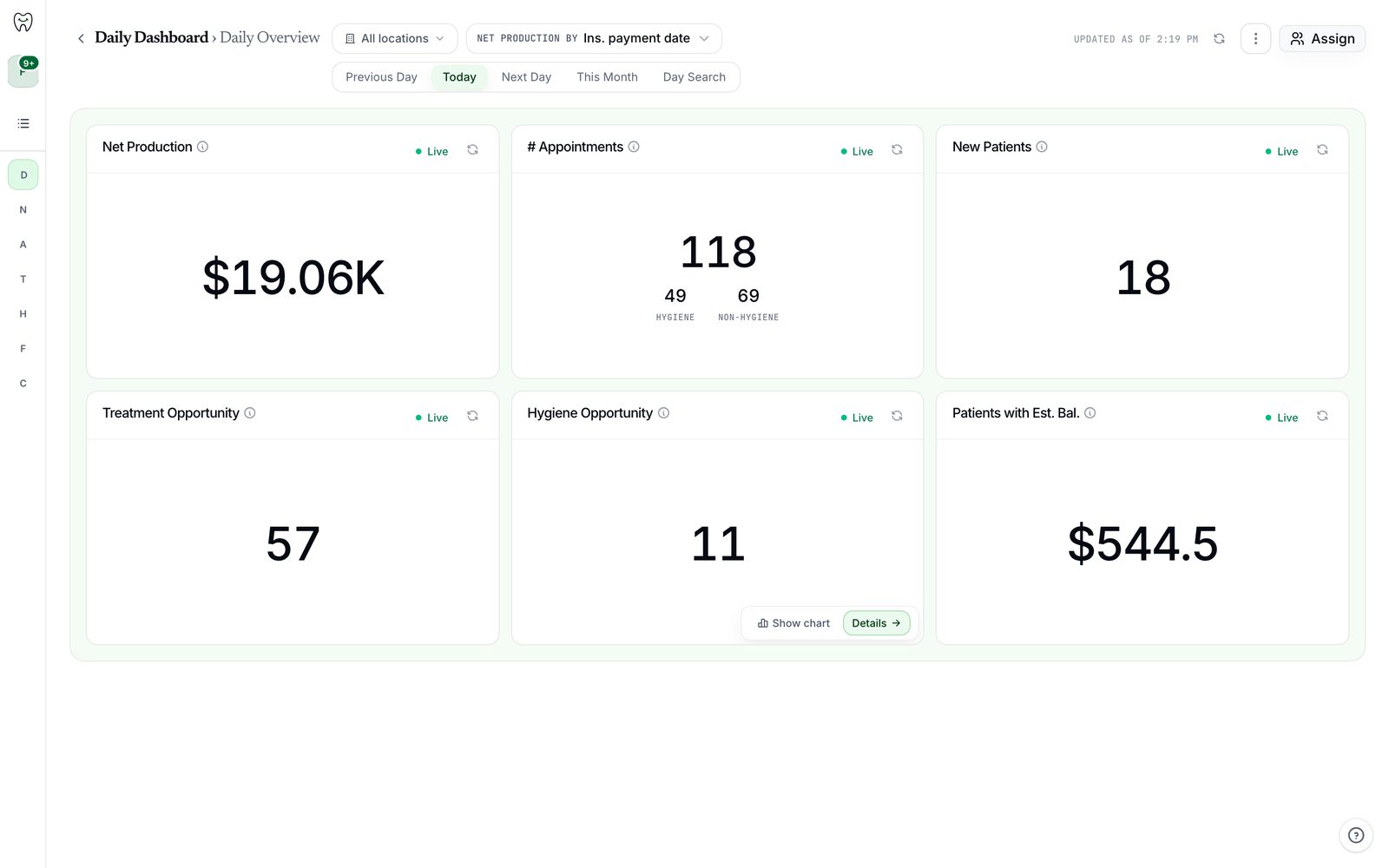
The same dashboards. The same questions.
The prebuilt dashboards cover the day, the schedule, claims and the owner's view. Anything they do not show, you ask Smile Bot in plain English and pin the answer.
- Daily Dashboard
- Scheduling Opportunities
- Claims Dashboard
- Executive Dashboard
My practice software runs on an office server. Can I sign up today?
Talk to us first. Server-based systems connect through our server connector, and we confirm yours for your setup during onboarding. Tell us the product and version and we will tell you plainly what to expect.
What is the server connector?
It is how Smile Data reads from practice software that runs on a server in your office. Our team sets it up on that server with you or your IT provider. It only reads your data and sends it up. Smile Data itself runs in our cloud, not on your server, so it does not slow your system down.
What if I am on the cloud edition of one of these?
This page covers server installs. Some server-based products also have a cloud edition, and those are not covered here. Ask us where yours stands.
How do I find out if mine is covered?
Ask us. Tell us what your office or your group runs on, and the version, and we will tell you plainly whether we can connect it and what it takes.
Does it work for a specialty practice?
Yes. The server connector covers orthodontic, endodontic and oral surgery software as well as general practice. Tell us what your specialty tracks and we confirm whether it comes through before you start.
How long does setup take?
It depends on the install in your office. Our team does the setup with you and tells you what to expect before you start. Onboarding is $0.
All product names, logos and brands are the property of their respective owners and are used here only to identify the systems Smile Data connects to. Their use does not imply endorsement.
Tell us what you run on.
We confirm your system before you rely on a single number.
No contract. $0 onboarding. 30-day money-back guarantee.