Integrations / Planet DDS

Planet DDS runs the practice. Smile Data shows the whole business.
Smile Data sits on top of Planet DDS and puts your practice numbers next to everything that lives outside it: the books, payroll, phones and marketing, for every office in the group.
Set up with our team. No server in your office to connect.
Smile Data reads from it
Planet DDS stays as it isIn the cloud, run the way your group already runs it.
Your practice software sees itself. Your group runs on more than that.
A group on Planet DDS already has every office in one cloud system. The questions that are still hard are the ones that cross out of it.
The practice.
Schedules, production, claims and patients, for every office on it.
Everything else.
The books in QuickBooks. Payroll. Phones. Ad spend. The budget in Excel. Any office still on other practice software.
One view of both.
Production next to what it cost to staff it. Collections next to deposits. New patients next to what you spent to get them. By office, and for the group.
AskProduction against payroll by office, last quarter.
Not every office is on Planet DDS yet?
Groups pick up offices that run something else, and moving them takes time. We connect each office to the practice software it uses today, and the dashboards read the same for all of them.
The group view does not wait for the last office to move.
What Smile Data uses from Planet DDS.
- Production
- By office, by provider and by procedure category.
- Collections
- What came in against what was produced, and what is outstanding.
- Schedule
- Today and tomorrow, and the openings still to fill.
- Claims
- Where each claim stands, by office.
- Hygiene
- Recare and perio, and who is overdue.
We confirm what your Planet DDS account makes available during setup, and tell you plainly if a page will be empty.
Patient records are handled under our Business Associate Agreement, accepted before any data connects. How we handle patient data
Accounting
 QuickBooks


 Excel budgets
Marketing
 Google Ads
 Google Analytics
 Search Console
 Business Profile
 Tag Manager




Phones
Payroll








Four dashboards, one for each job.
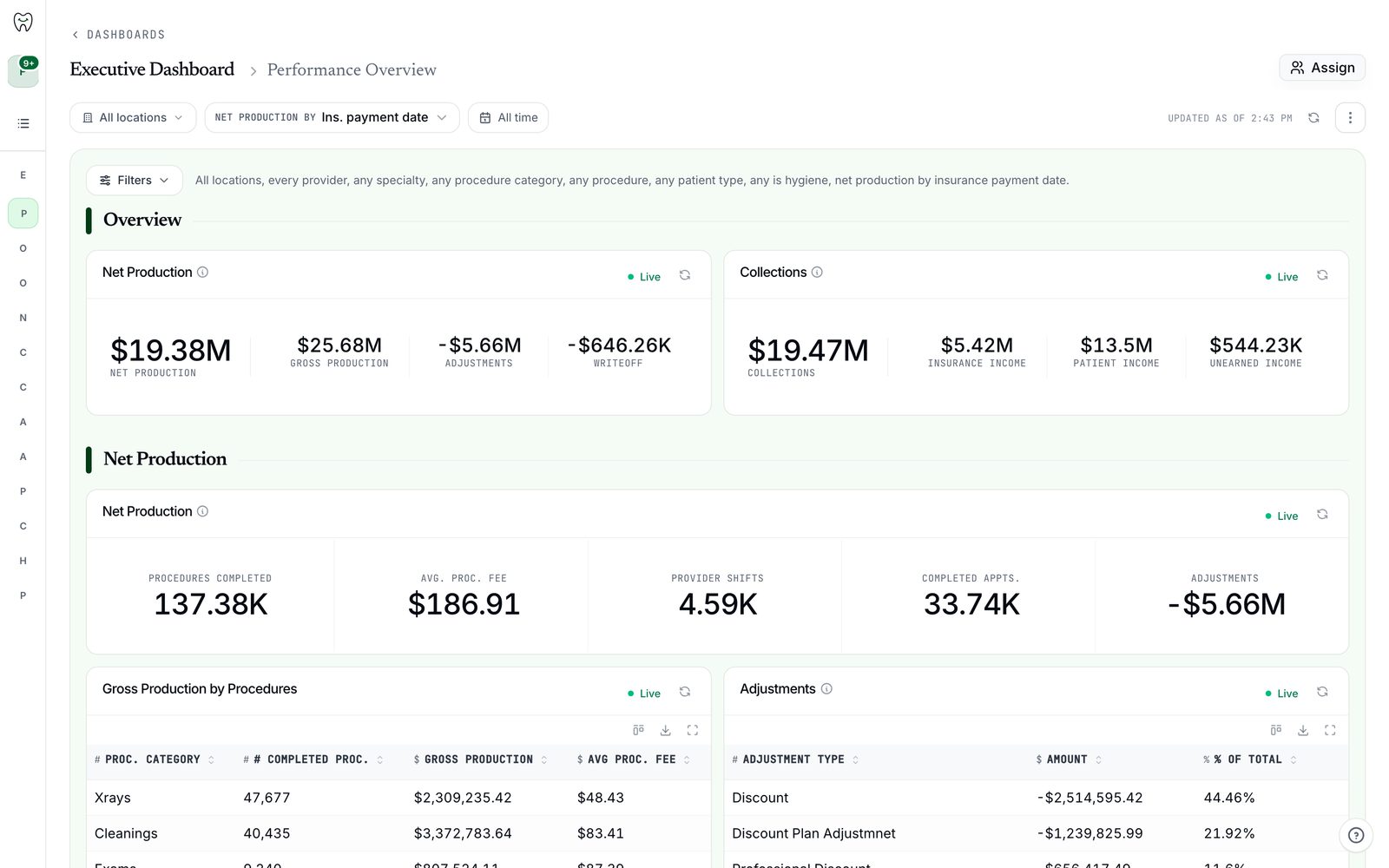
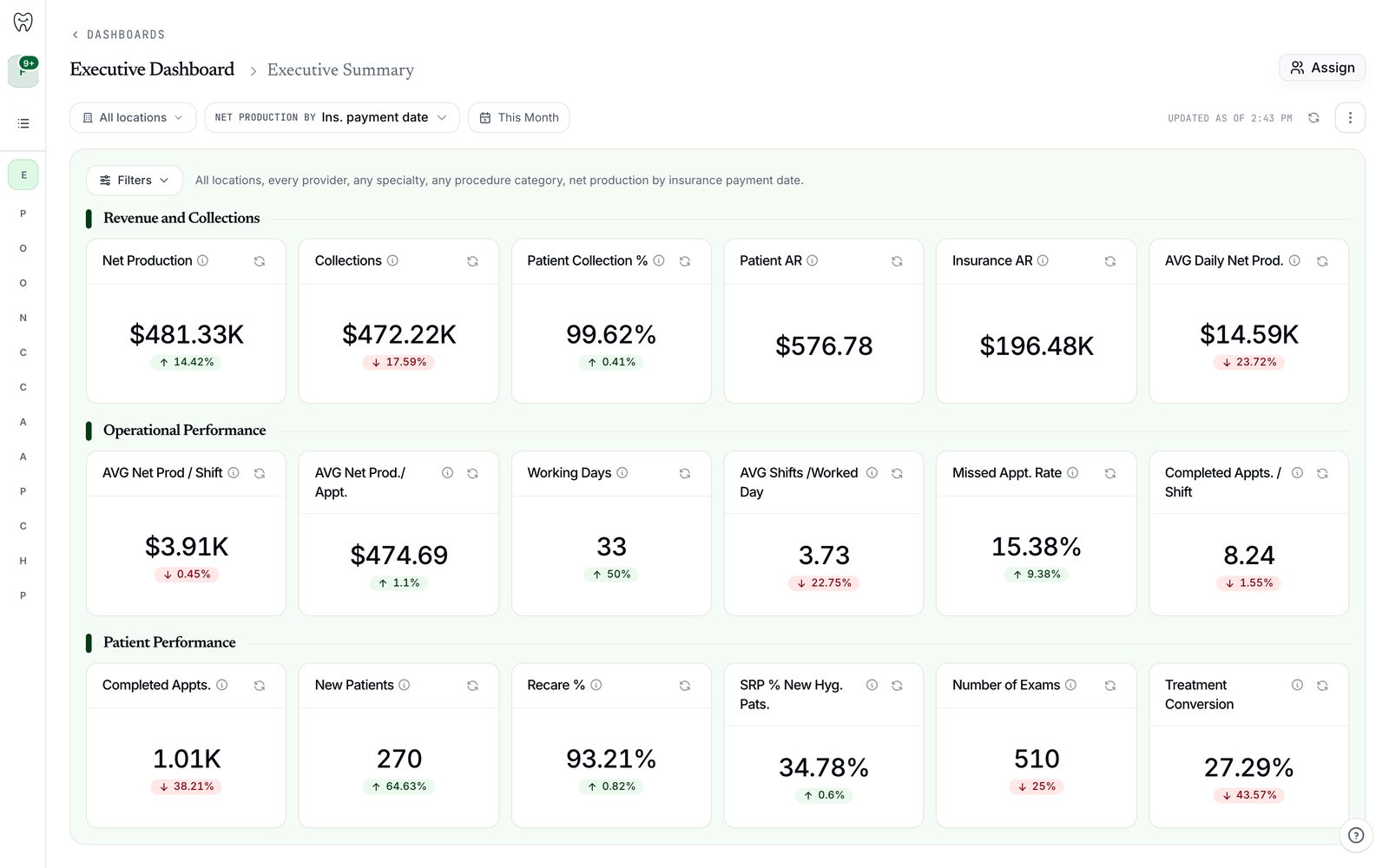
The front desk, the billing team, the office manager and the owner each open a different one. All four are filtered by office, or rolled up for the group. Every number follows our dental KPI definitions, and dental analytics walks through what each report answers.
Executive Dashboard
For the owner and the operations lead: revenue, collections and patient numbers for the group, then by office.
- Executive Summary
- Performance Overview
- Outstanding Patient
- Outstanding Insurance
- Net Production Overview
- Collection Overview
- Clinical Trends
- and more
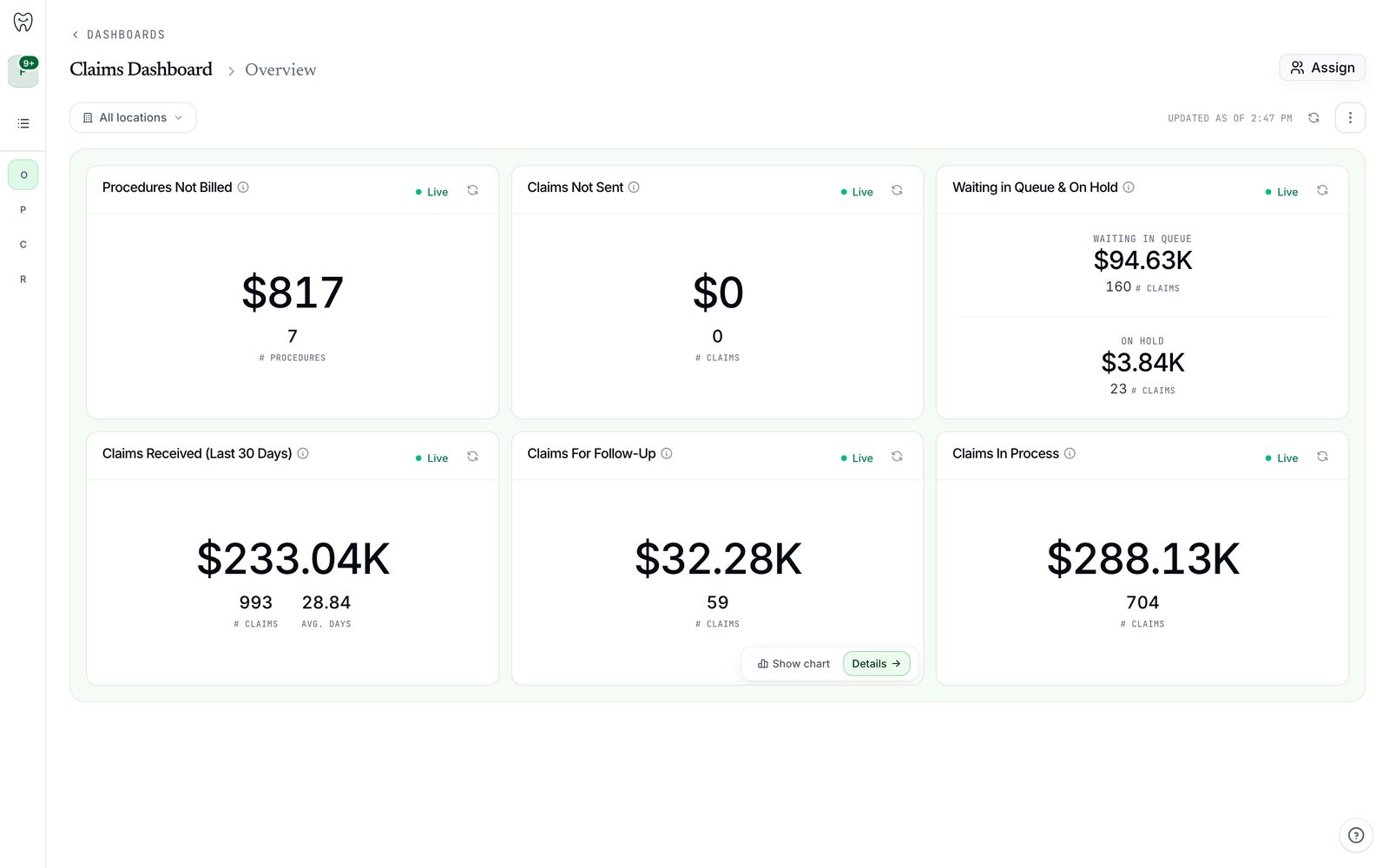
Claims Dashboard
For a central billing team: what has not been billed, what has not been sent, and what needs a follow-up call.
- Overview
- Procedures Not Billed
- Claims by Status
- Received Days
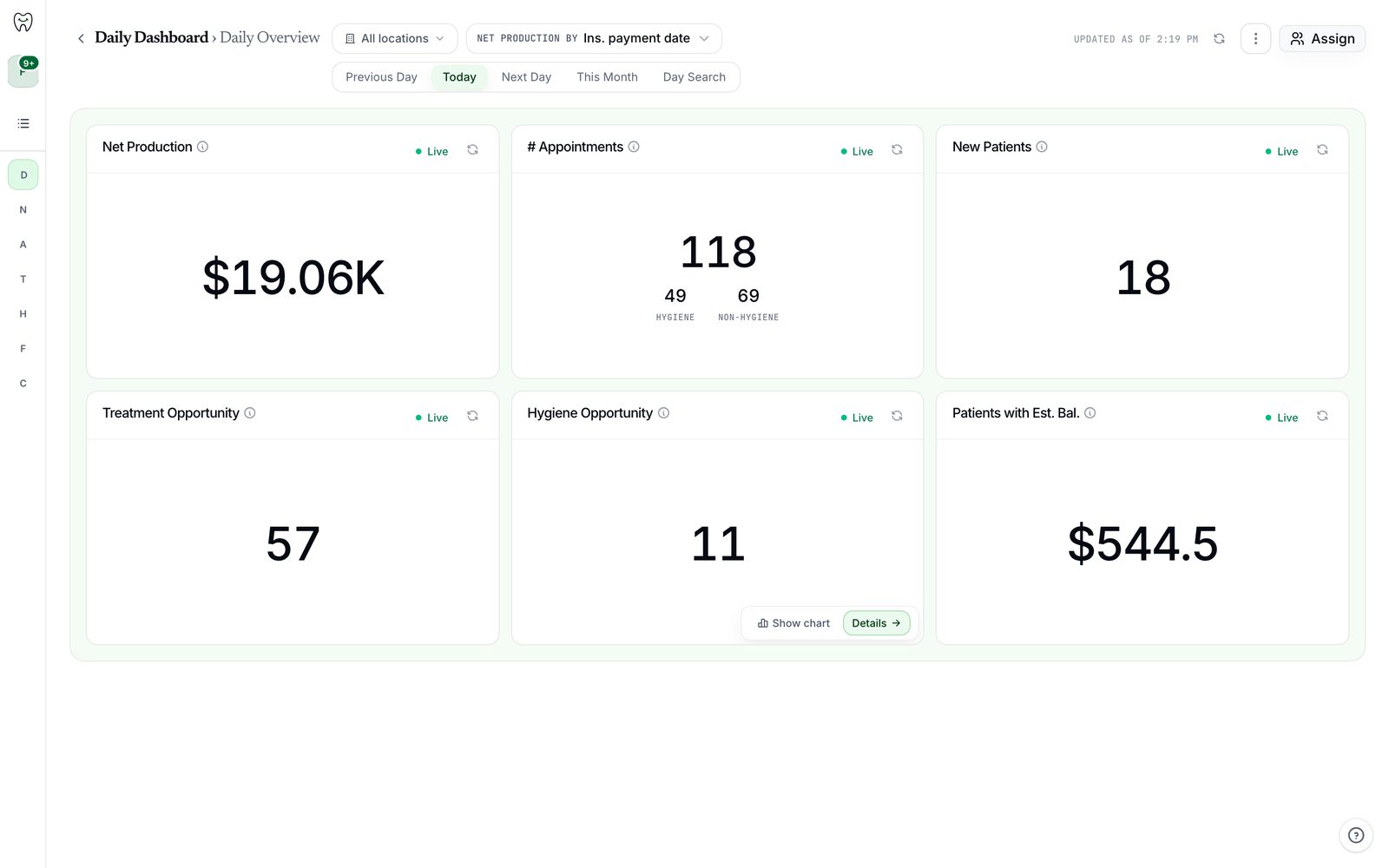
Daily Dashboard
For each office manager: yesterday's production and today's schedule, ready before the huddle.
- Daily Overview
- Net Production
- Appointments
- Treatment Opportunities
- Hygiene Opportunities
- Financials
- Created Appointments
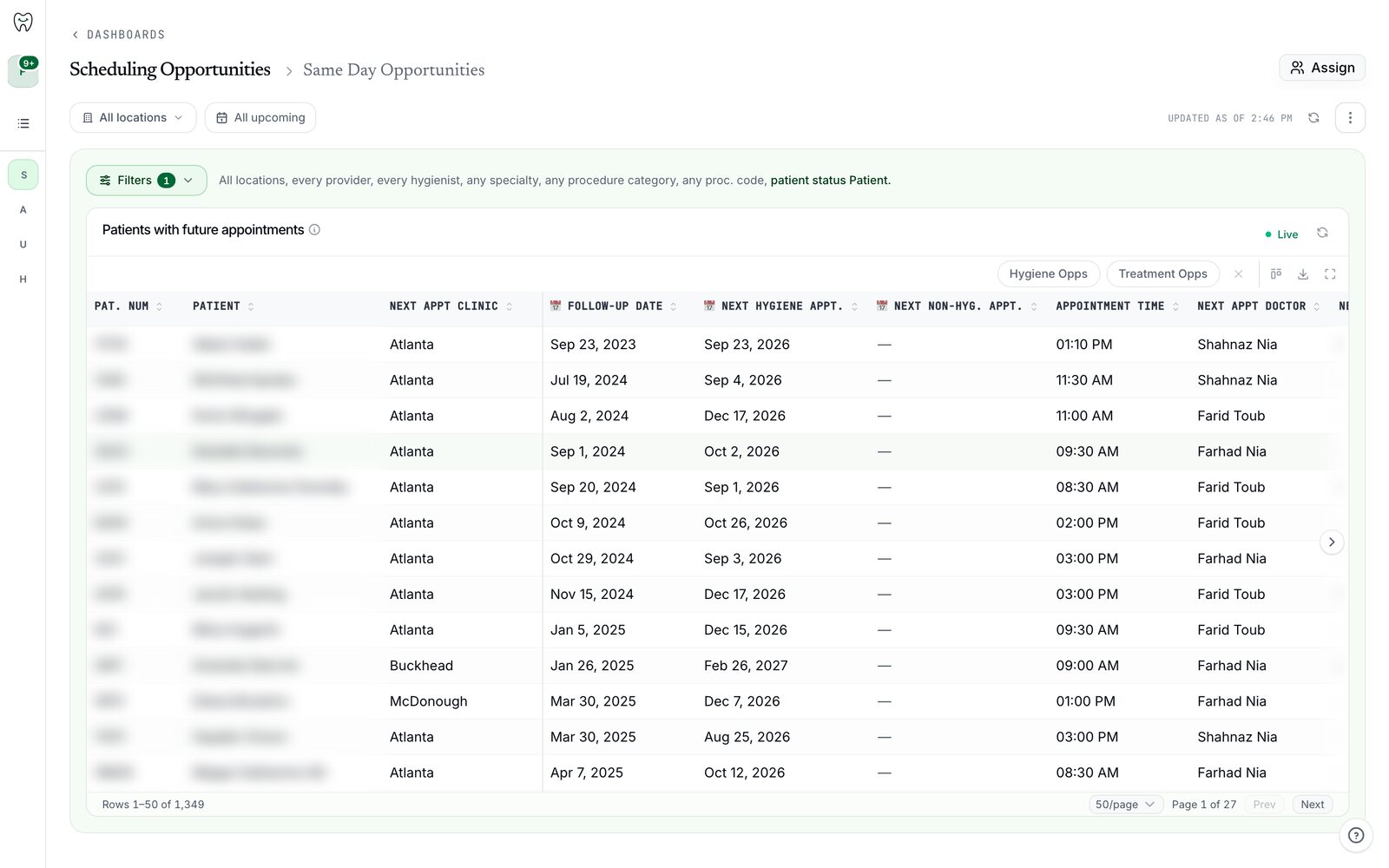
Scheduling Opportunities
For the front desk: patients coming in today who still have treatment or hygiene open.
- Same Day Opportunities
- ASAP Check
- Unscheduled List
- Hygiene Opportunities
Screens are from the Smile Data demo organization. Your pages fill with your own Planet DDS data.
Set up with our team, one group at a time.
Planet DDS runs in the cloud, so there is nothing to install in your offices. The connection is made to your Planet DDS account.
Talk to us first
How many offices, which of them are on Planet DDS, and what else you want brought in. We tell you what the connection needs from your side.
We connect your account
Our team makes the connection with whoever manages Planet DDS for your group. The Business Associate Agreement is accepted before any data connects.
We check the numbers
We compare what Smile Data shows with the reports your team already runs, office by office, and fix anything that does not match.
Add the rest
Accounting, payroll, phones and marketing are connected the same way, with our team.
Onboarding is $0. We tell you how long your setup will take before you start.
Does Smile Data work with Planet DDS?
Yes. Smile Data connects to Planet DDS, set up with our team. Because Planet DDS runs in the cloud, there is nothing to install in your offices.
Planet DDS already has reporting. Why add Smile Data?
Keep using it. Smile Data is for the questions that cross out of your practice software: production next to payroll, collections next to deposits, new patients next to ad spend, and offices that run on something else.
Is this for Denticon?
Denticon is the Planet DDS practice management software, and it is what this page covers. For other Planet DDS products, ask us and we will tell you plainly where each one stands.
How is pricing set for a group?
With you, based on how many locations you have, whether you already keep a data warehouse, and where your data lives today.
How long does setup take?
It depends on your group: how many offices, and who manages your Planet DDS account. Our team does the setup with you and tells you what to expect before you start. Onboarding is $0.
How often does the data refresh?
A full upload runs every night, so each morning shows yesterday's close and nothing goes missing. How often it also updates during the day depends on your practice software and your server.
Planet DDS and Denticon are trademarks of their owner and are used here only to identify the software Smile Data connects to. Their use does not imply endorsement.
See the whole group on one screen.
Keep Planet DDS exactly as it is. We set up the connection with you.
No contract. $0 onboarding. 30-day money-back guarantee.